One program for selling, stock and customers: shop management software
One program for selling, stock, customers who owe, suppliers, staff and reports. Lite is free and holds up to 20 products.
Your sales are in one book, your stock is on a list, and the customers who owe you are in a notebook. When you need one answer, you check three places and cannot be sure they match. Shop management software puts selling, stock, customers, suppliers, staff and reports in one program. SellyPOS is retail shop management software for a small shop. Each part below says which edition holds it. At setup, choose your kind of shop and your country.
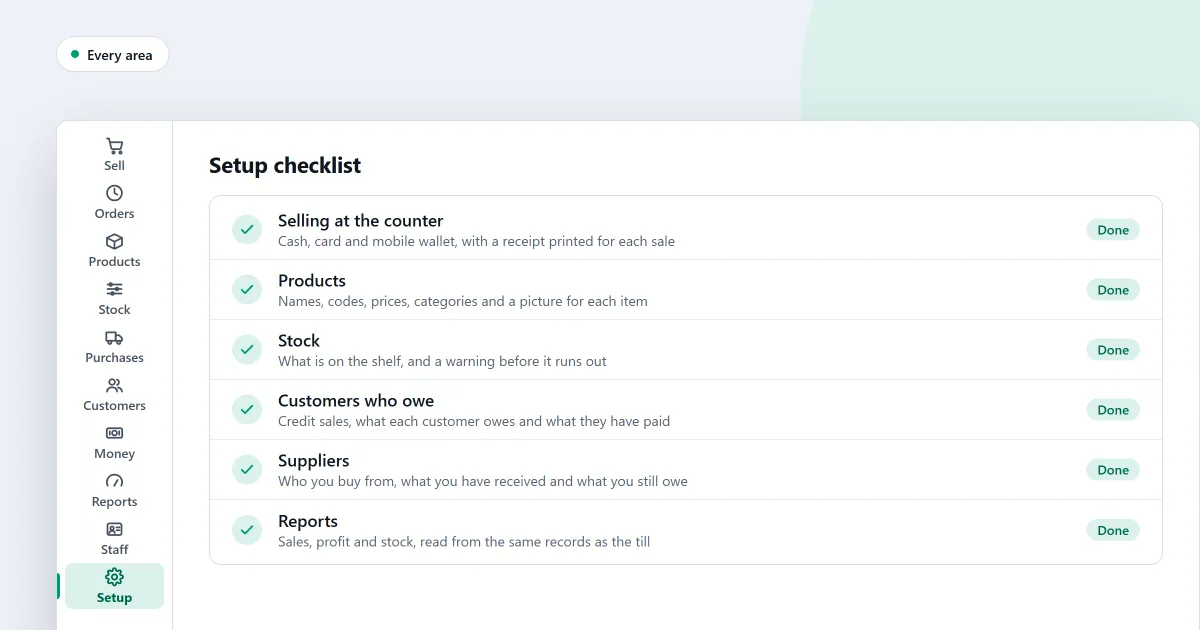
Selling at the counter
The Sales screen opens ready to sell, so a scan works before you click. One entry field takes a barcode, a code or a name. Cash payments show the change as you type, and one sale can take several payment methods. Returns, exchanges and held sales are in every edition. See the sales counter.
Stock on hand and stock counts
Every edition shows stock on hand and records each adjustment with a reason. Stock counts, reorder lists and expiry dates are in Basic and Professional. In a count, you review only the lines that differ before you apply it. See stock control.
Products, prices and variants
Only a name, a price and a unit are needed to add a product. In Basic and Professional, you can import products from a spreadsheet, change many prices at once and sell sizes and colours as variants. See products and catalogue.
Customers and credit
Every edition has a Customers page that shows who owes you and whom you owe. In Basic and Professional, each customer can have a credit limit, and a credit sale over it is blocked. A part payment leaves the rest on the customer’s account. See customers and credit.
Suppliers and purchases
Every edition keeps supplier records, numbered purchase orders and deliveries. Enter a supplier’s bill against the goods it covers. In Basic and Professional, a list shows who you owe, supplier by supplier. See purchases and suppliers.
Money and expenses
Every edition lists your accounts with their balances. In Basic and Professional, you record what the shop paid out, see expenses by type and read the month’s profit. Profit is shown only to people allowed to see it. See money and accounts.
Reports and alerts
Reports are in Basic and Professional only. They run with no internet connection, and a report can be exported as a spreadsheet, a CSV file or a PDF. Alerts warn about expiring stock, overdue customer payments and a backup that is not set up. See reports and alerts.
Staff and permissions
Every edition signs each person in with a password, and a PIN switches users at the counter. Every sensitive action is recorded with its before and after values. In Basic and Professional, a staff role sets what each person can do. Attendance, pay and salesperson commission are Professional only. See staff and permissions.
Printers and scanners
Receipts print on 58 mm and 80 mm thermal printers in every edition, over USB or Bluetooth. A scanned code that matches a product is added at once. Barcode labels and a customer screen are Professional only. See hardware.
Working offline
A sale can be finished with no network connection. After a power cut, a recovery summary names any sale whose state was uncertain. Backup to a folder is in Basic and Professional. Several tills on one shop network are Professional only. See offline selling.
Shop management software free download: what Lite holds
SellyPOS Lite is free for ever, with no trial and no licence to buy. It is an installed program for Windows 10 (version 1809 or later) or Windows 11, 64-bit, and it sells with no internet connection. It needs one Google sign-in at setup. Lite holds up to 20 products and shows the last 7 days of sales history and returns. It has no backup, restore, import or export, and on a Lite computer a failed hard disk loses its records. A shop with more products needs Basic or Professional. Get it from the download page, or see choosing an edition.
The 7-day trial
Basic and Professional each start with a 7-day trial, and a shop gets one trial whichever edition it runs. After the trial, you can still make new sales, but returns, reprints and back-office work wait until a licence is activated. The price is on the pricing page.
Next
See how a sale is completed. Compare inventory software and billing software, or read free POS software for a PC. See POS for your kind of shop, or read how to set up a POS system for a small shop. Then download SellyPOS or compare prices and editions.
Questions people ask
Is SellyPOS Lite really free?
Yes, for ever: no trial, no licence and no lock. Lite holds up to 20 products, shows the last 7 days of sales history and returns, and has no backup, restore, import or export. When you need more, install Basic or Professional over the same data.
How do I set SellyPOS up for my kind of shop?
At setup, choose your kind of shop from the tiles. The choice sets sensible defaults for the shop and decides which fields a new product shows. Choose your country from a list you can type to filter, and the currency, formats and time zone are filled in for you. You can change the business type later in Settings. To confirm, you type the word CHANGE, and the screen names what the new type changed. Settings you changed yourself are left alone. See POS software for your kind of shop.
How long is the free trial?
Basic and Professional each start with a 7-day free trial. A shop gets one trial, whichever edition it runs. When the trial ends, SellyPOS keeps selling, and the other screens wait until you activate a licence.