POS software features: a checklist for a small shop
A POS software features checklist for a small shop, grouped by area: the counter, products, stock, credit, suppliers, money, staff, hardware and offline use.
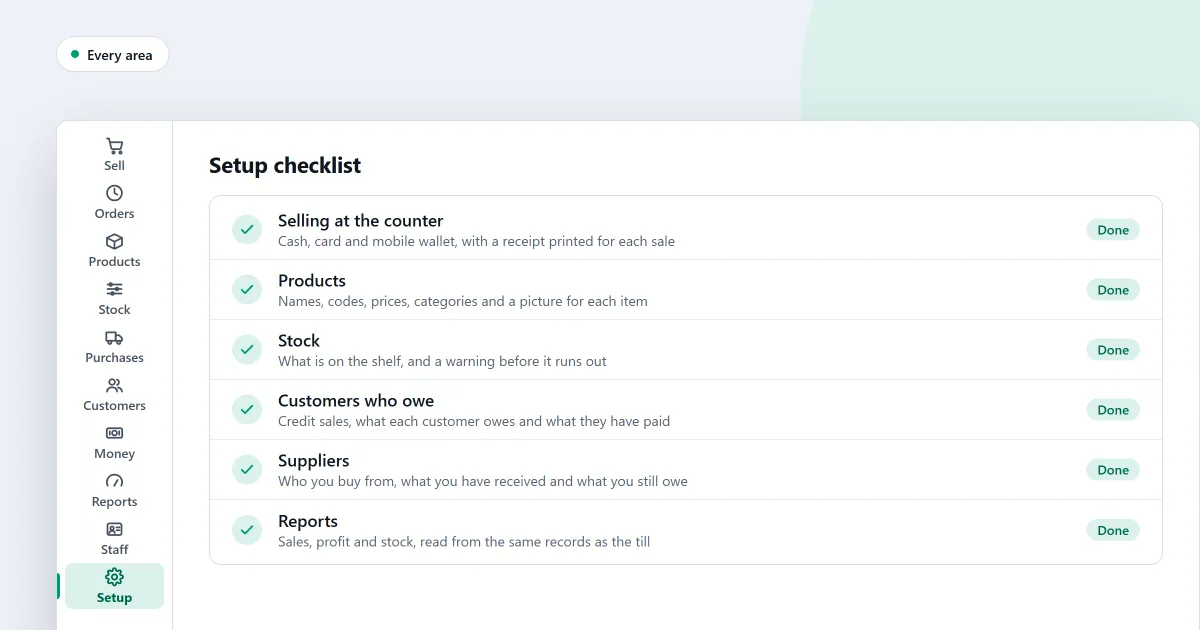
If you are looking for POS software features, you want to know what to ask for before you pay. This checklist groups them by area. In each area you see what to look for in any POS program. Then one sentence says what SellyPOS does and which edition holds it.
Read it with a pencil. Tick what your shop needs, and leave the rest.
Lite is the free edition. It holds up to 20 products. Basic and Professional are paid, with a 7-day free trial. Professional adds the features for several counters and for serial-numbered devices. The amounts are on the pricing page.
At the counter
Look for:
- A scanned code that adds the item to the sale at once.
- Several payment methods on one sale.
- A return that can cover some items, or all of a finished sale.
- A receipt that prints when the sale is finished.
SellyPOS does all four in every edition, Lite included. Read more on the sales counter page.
Products
Look for:
- Adding a product with only a name, a price and a unit.
- Categories and brands that you can rename.
- Changing many prices at once.
- Importing a list of products from a spreadsheet.
SellyPOS needs only a name, a price and a unit for a product in every edition, and its variants, bulk edit and spreadsheet import are in Basic and Professional. See products and catalogue.
Stock
Look for:
- Stock on hand that falls with every sale.
- A stock count you can do by scanning the shelf.
- A list of products that are running low.
- Expiry dates for goods that go off.
SellyPOS keeps stock on hand that follows every movement in every edition, and stock counts by scanning, the reorder list and expiry dates are in Basic and Professional. See stock control.
Customers and credit
Look for:
- A credit limit for each customer.
- A list of who owes you, and how long they have owed it.
- A statement you can share with the customer.
- A reminder for customers who are late to pay.
SellyPOS has a customer list in every edition. A credit limit, the Credit page, statements shared on WhatsApp or saved as a PDF, and reminders for overdue customers are in Basic and Professional. See customers and credit.
Suppliers
Look for:
- A record for each supplier, with its contact details.
- Purchase orders that you can send to a supplier.
- Goods received against an order, so the order shows what has arrived.
- A list of what you owe each supplier.
SellyPOS keeps supplier records, purchase orders and goods received against an order in every edition, and the list of who you owe is in Basic and Professional. See purchases and suppliers.
Money and reports
Look for:
- A daily sales summary.
- A profit figure that you can open to the entries behind it.
- A stock value report by category.
- A way to keep profit away from staff who should not see it.
SellyPOS has the daily sales summary, the profit and loss for the month and the stock value by category in Basic and Professional, and profit is shown only to people allowed to see it. See money and accounts and reports and alerts.
Staff and permissions
Look for:
- A password and a PIN for each person, not one shared login.
- Roles that limit what each person can see and do.
- A record of who approved what, and who signed in.
- A till that locks when nobody is using it.
SellyPOS gives each person a password and a PIN, a till lock and a permanent record of sensitive actions in every edition. Roles and the approvals report are in Basic and Professional. See staff and permissions.
Hardware
Look for:
- A receipt printer that connects by USB, by Bluetooth or through Windows.
- A barcode scanner you can try before the first sale.
- Receipt paper of the width your printer uses.
- A second screen that faces the customer, if you want one.
SellyPOS finds USB receipt printers and paired Bluetooth receipt printers, and it prints on 58 mm and 80 mm paper, in every edition. The customer display is in Professional only. See hardware.
Working offline
Look for:
- A sale that finishes with no internet connection.
- Reports that run on the shop’s own records.
- A backup you can make to a folder you choose.
- A clear message after a power cut.
SellyPOS finishes a sale with no network connection, and after a power cut it shows a recovery summary, in every edition. Offline reports and folder backups are in Basic and Professional. See offline selling.
Next
Read what POS software is for the basics. If you are not sure which kind of program you need, read POS software vs billing software. See today’s prices on the pricing page, then download SellyPOS and try it on your own computer.
Questions people ask
Does SellyPOS work without internet?
Yes. The till finishes a sale with no internet connection. You need internet once, to sign in with Google and set up your shop, and from time to time to check your licence and updates.