What is POS software? A plain explanation for shop owners
POS software explained in plain words: what the program does at the counter, what else it can keep track of, and what to check before you choose one.
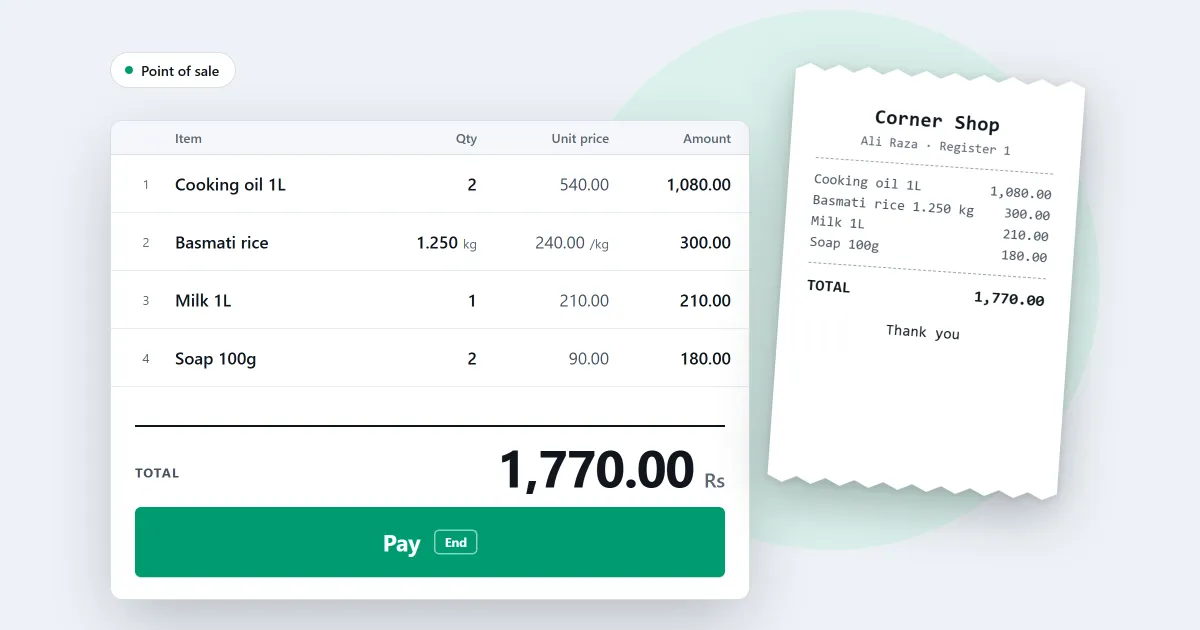
What is POS software? You have heard the words, and you want to know what they mean for your shop. POS stands for point of sale. The point of sale is the place where a customer pays. POS software is the program that runs that place. It rings up each sale, prints the receipt and records the money. This page explains it without jargon, and then shows where SellyPOS stands.
The counter, in plain words
Think about one customer at your counter. You scan or search for an item. It is added to the bill with its price. The customer pays in cash, by card, or by another method you accept. The receipt prints. The sale comes off the stock count, and the money goes into the books.
POS software does each of those steps in one program, so the bill, the shelf and the money agree. That is the whole idea. Each sale is also kept on record, so you can open it later and see it read-only. To see one sale from start to finish, read how a sale is completed.
What POS software keeps track of
A counter program can also keep track of what happens around the sale.
- Stock. It knows how many of each item are on the shelf, and each sale comes off that count.
- Customers who owe you. It can record credit sales, and show who owes the shop and how long they have owed it.
- Suppliers. It can record what you bought, and what you still owe each supplier.
- Reports. It can show what sold in a day, or over a month.
Not every program does all four. Ask before you buy. The next section explains how the names differ.
POS software, billing software and inventory software
People use three names for related jobs. Here is what each name usually means.
- Billing software is mostly about making the bill and the receipt.
- Inventory software is mostly about what is on the shelf, and when to order more.
- POS software is built around the sale. It brings the bill, the shelf and the money together at the counter.
For a small shop, the difference matters less than what you need on the first day: a quick counter, a clear receipt and a stock count you can trust.
What to check before you choose
Use this list with any seller. Good answers are plain and clear.
- Does it work without internet? A sale should finish when the connection drops.
- Does it work with a barcode scanner and a receipt printer?
- Is the price one payment, or a monthly fee? The cost page explains the difference.
- Can you back up your records, and restore them?
- Can you try it before you buy?
Where SellyPOS stands
SellyPOS is POS software for Windows. It is an installed program, not a website or a phone app. It sells with no internet connection. The first set-up needs internet once, to sign in with Google and set up your shop. The sales counter page lists what the counter does.
- A scanned code that matches a product is added to the sale at once.
- The totals update after every change.
- A sale can finish with no network connection.
- If the power goes off during a sale, a recovery summary appears at the next start. It names any sale whose state was uncertain.
- Lite is free for ever. It holds 20 products, shows the last 7 days of sales history and returns, and has no backup, restore, import or export.
- Basic and Professional add credit sales, reports and stock counts.
If you run a general shop, read about billing software for a small shop, inventory software for a small shop or grocery store POS software. To try the free version on a Windows computer, see free POS software for PC.
Next
See today’s prices on the pricing page, then download SellyPOS and try it on your own computer.
Questions people ask
Does SellyPOS work without internet?
Yes. The till finishes a sale with no internet connection. You need internet once, to sign in with Google and set up your shop, and from time to time to check your licence and updates.