How much does POS software cost? One payment or monthly
What POS software costs, what the price covers, the limits of a free version, and the questions to ask any seller before you pay.
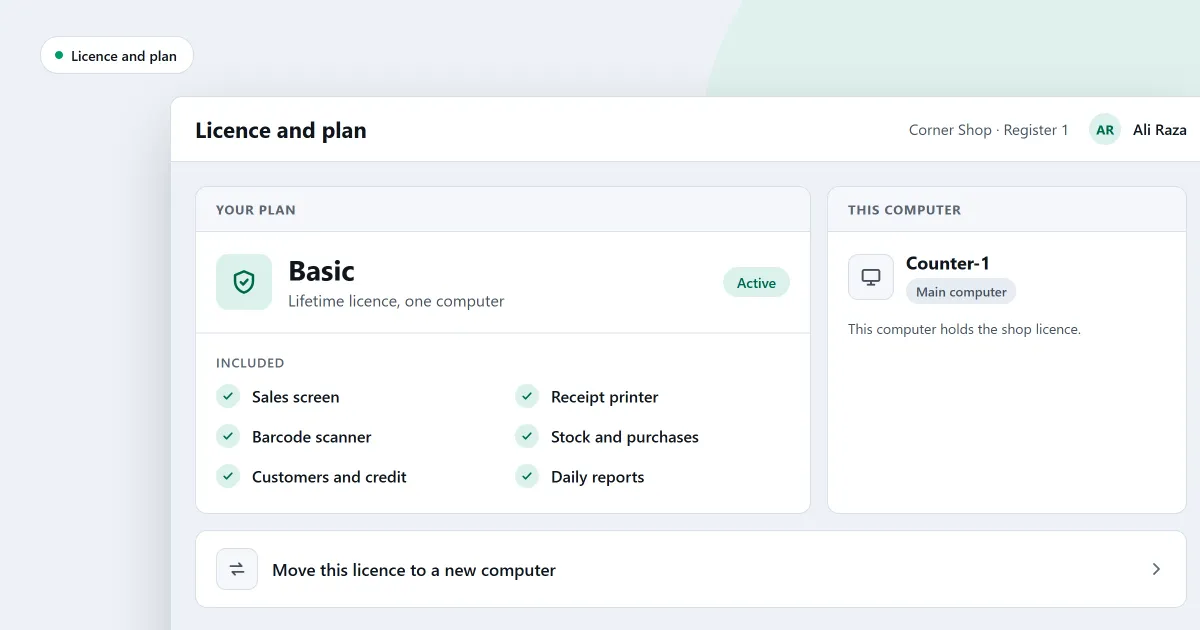
You want to know how much POS software costs before you spend anything. That is the right question to ask first. POS stands for point of sale, the place where a customer pays. The answer to how much does POS software cost depends on three things: whether you pay once or every month, what the licence covers, and what you add around the program. This page explains each one, and shows how SellyPOS is priced.
Ask about the price as a whole, not only the first figure. A low first price can hide a higher cost later.
What the price of POS software covers
A price on a sales page is rarely the whole cost. Check these parts before you decide.
- The software. Is it one payment, or a monthly fee? A monthly fee keeps adding up. Ask for the total you will pay after a few years.
- The licence. Does it cover one computer, or the whole shop with several counters? The answer changes what you pay.
- The hardware. A receipt printer and a barcode scanner are separate from the software. Plan for them.
- Backup. Ask where the copies of your records are kept, and whether the program makes them for you.
- Help. Ask how you reach someone when something stops working.
- A free version. A free version has limits. Find them before you start, because they decide whether it fits your shop.
One payment or a monthly fee
A one-time payment is paid once for the licence. A monthly fee is paid again each month. Neither is wrong. The question is which one you can plan for. Compare the total you will pay for the same period, not the first amount you see.
Questions to ask any seller before you pay
Ask these in writing if you can. A clear seller answers each one.
- Is the price one payment, or a monthly fee? What is the total after a few years?
- Is the licence for one computer, or for the whole shop?
- Does a sale finish when the internet drops?
- Can I back up my records myself, and restore them?
- Is there a free trial? What can I still do when it ends?
- What do I need to buy besides the software?
- What happens to my records if I move to a bigger version later?
Where SellyPOS stands: the price and the editions
SellyPOS is installed on a Windows computer. It is a one-time payment per licence, with no monthly fee for the software. For a shop in Pakistan, the POS software price is in Pakistani rupees, and in US dollars elsewhere. The amounts are on the pricing page, and nowhere else on this site.
- Lite is free for ever. It has no trial and no licence to activate. It holds 20 products and shows the last 7 days of sales history and returns. It has no backup, restore, import or export. If the hard disk of a Lite computer fails, its records are lost.
- Basic is for a general retailer with one counter. It has a 7-day free trial, then a lifetime licence for one computer.
- Professional is for several counters. It has a 7-day free trial, then a lifetime licence for the main computer. The other tills on the shop network need no licence of their own.
A shop gets one trial, whichever edition it runs. When the trial ends, you can still make new sales. Returns, reprints, the drawer and back-office work wait until a licence is active.
Reports, expenses and the financial statements are in Basic and Professional, not Lite. Optional cloud services are planned. They are not part of the software price.
Not sure which edition fits? Answer a few questions in the edition finder. The editions and install page shows which edition holds which feature. To try the free version on your own computer, read about free POS software for PC. Before you install, read how to install SellyPOS.
Next
Check today’s prices on the pricing page. Then download SellyPOS and try it on your own computer.
Questions people ask
Which currency are prices in?
Pakistani rupees in Pakistan and US dollars everywhere else. The pricing page shows the current prices and any offer that is running.
How does licensing work?
A licence is a one-time purchase, and it lasts for life. Basic is licensed to one computer. Professional needs one licence for your whole shop: it sits on your main computer, and every other counter on the shop's network connects to it and needs no licence of its own. If you replace a computer, Selly Systems moves the licence for you.
How long is the free trial?
Basic and Professional each start with a 7-day free trial. A shop gets one trial, whichever edition it runs. When the trial ends, SellyPOS keeps selling, and the other screens wait until you activate a licence.