Free POS software: what the free version leaves out
Free POS software can leave out products, history, backups and trials. A checklist for any free program, then what SellyPOS Lite holds.
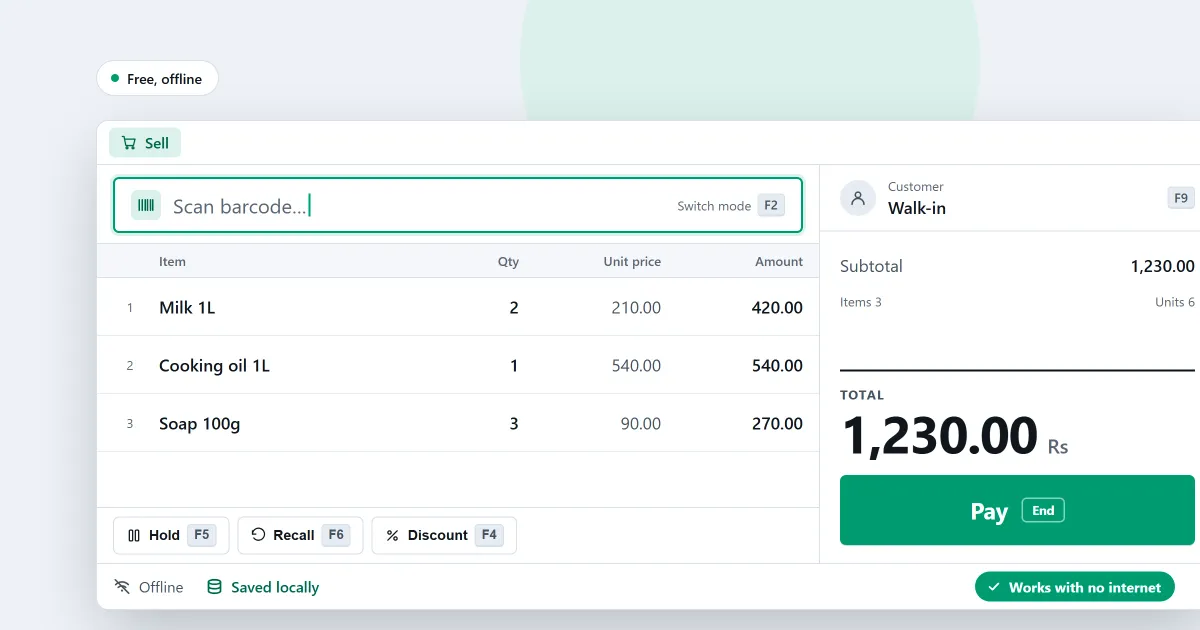
You search for free POS software because you want to start selling before you pay. That is a sensible place to start. A free program can still leave out things you will need, and some of those limits only show once you are trading. This post gives you a checklist for any free point of sale software. Then it shows what SellyPOS Lite holds and leaves out.
Does the free version limit products or history?
Ask how many products the free version holds. A product list grows over time, so a limit that looks generous today may not last. Ask how far back the sales history goes too. You will want to find a sale from last week when a customer comes back with a question about it.
Can you back up your records and take them out?
A free program with no backup, no restore and no export keeps your records on one computer. If that computer’s disk fails, the records can go with it. Ask whether you can make a copy of your data, restore it, and export your products, customers and sales to a spreadsheet. If the answer is no, know that before you start, not after.
Does it work without internet?
Many shops lose their connection at some point. Ask whether a sale can be finished with no network connection. Ask whether the program needs the internet each time you open it. Ask what happens to a sale if the power goes off during it.
Can you move to a paid version later?
A free program that cannot move your data up leaves you starting again. Ask whether a paid version opens the same records. Ask whether you must type everything in again. Get the answer before you put your sales into the free version.
Is it free for ever, or only a trial?
Some programs are free only for a short time, then ask for money or stop working. Ask whether the free version stays free. Ask what the program does when a trial period ends.
What happens when a trial or licence ends?
Ask whether you can still sell on the last day. Ask whether you can still look at your records, print a receipt or take a return. Ask for the answer in writing. A clear answer is a sign of a program you can plan around.
Are there hidden monthly fees?
A low price can hide a monthly charge for the software, or for each extra counter, printer or user. Read the whole price list. Ask what you will pay each month and each year, and what it costs to add a second counter later.
Where SellyPOS stands
SellyPOS Lite is free for ever. It has no trial, no licence and no lock. It sells with no internet connection on a Windows computer. You need the internet once, to sign in with Google when the shop is set up.
Lite has limits, and the software says so on screen:
- It holds up to 20 products.
- Sales history, returns and the orders dashboard show only the last 7 days.
- It has no backup, restore, import or export. A failed hard disk on a Lite computer loses its records.
Basic and Professional each start with a 7-day trial. A shop gets one trial, whichever edition it runs. When the trial ends, you can still make new sales. Returns, reprints and back-office work wait until a licence is activated.
Moving up means installing Basic or Professional over the same data. Basic is a one-time payment per licence for one computer. Professional is a one-time payment for the main computer, and the other tills on the shop network need no licence. There is no monthly fee for the software. The amounts are on the pricing page.
For the full list of what Lite holds, and the computer you need, read free POS software for PC that works offline.
Next
Read how much POS software costs and what POS software is. If you are unsure which edition fits, see how to choose an edition. Then compare prices and editions or download SellyPOS.
Questions people ask
Is SellyPOS Lite really free?
Yes, for ever: no trial, no licence and no lock. Lite holds up to 20 products, shows the last 7 days of sales history and returns, and has no backup, restore, import or export. When you need more, install Basic or Professional over the same data.