Which POS software is best for a supermarket?
No software is best for every supermarket. Use this checklist of questions for any vendor, then see where SellyPOS fits: one counter or several.
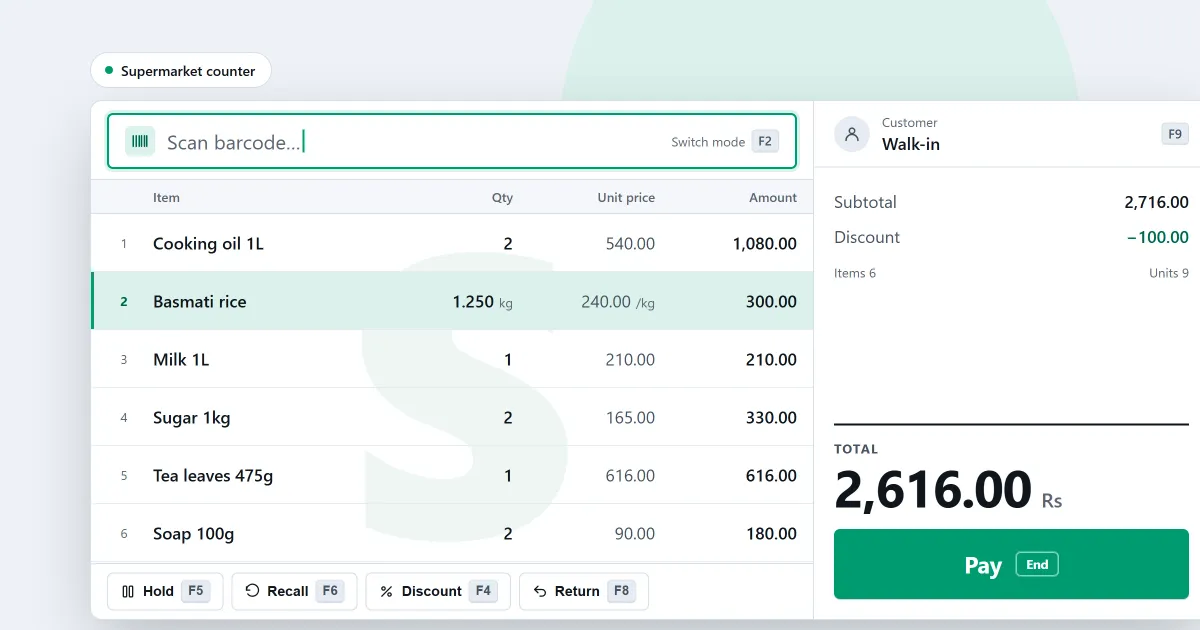
Which POS software is best for a supermarket? The honest answer is that no single program is best for every shop. A supermarket with one busy counter and a supermarket with many counters need different things. This post gives you a checklist of plain questions to put to any vendor. At the end it shows where SellyPOS stands, so you can compare it with the rest on the same terms.
Start with how many counters you run
One counter and several counters are different problems. With several, the counters must share one stock and one list of sales. A second copy of the same sale must not be recorded twice. Ask the seller how a second counter joins the first, and whether it needs a licence of its own. Ask for the answer in writing, so you can check it later.
A checklist to take to any vendor
Put each question to the vendor, and ask for the answer on a screen, not only in words.
- Does a scanned item go into the sale at once, with no button press?
- Can the cashier sell loose goods, and set the weight or the quantity on the line?
- Can a product with no barcode be given its own code in the shop?
- Can one product be stocked and sold in more than one pack size?
- Can each product track expiry dates? Does the till stop an expired item, or only warn about it?
- Can you count stock while the shop is still selling, and see what differs?
- Does the program list what is running low, and help you order it?
- Can a cashier sell, but not give large discounts or void a sale without a manager?
- Can you print shelf and product labels?
- Can you see sales by hour, and where stock keeps going missing?
- What happens when the power is cut in the middle of a sale?
- What happens when the internet drops?
- Is the price a one-time payment or a monthly fee?
- What is free, and what does the free version leave out, such as backups or the number of products it holds?
Questions 11 and 12 matter most at a busy counter. Ask what the till shows after a restart: whether the last sale was saved, and whether its receipt can be printed again.
Test the answers before you pay
Ask the seller for a trial or a demonstration on a computer you can use yourself. Sell a basket with loose goods. Hold one sale and serve another customer. Make a return. Then switch off the internet and sell again. A short test shows more than a brochure does. Keep notes of anything that surprised you, and take them back to the seller.
Where SellyPOS stands
SellyPOS is an installed Windows program for one counter or several. It sells without an internet connection, and a sale can be finished with no network at all. These are the supermarket features it has, and the edition that holds each one:
- Scanning: a scanned item is added to the sale at once, with no Enter press. This is in every edition.
- Loose and weighed goods: a loose product asks how much is sold. A product sold by weight takes the weight or the money on its cart line. Every edition.
- Pack levels: the products file takes pack levels with prices, variants and stock. Basic and Professional.
- Expiry dates: each product can track expiry. The earliest expiry is offered first, and an expired batch is refused or warned about, depending on the product’s policy. Basic and Professional.
- Stock counts and reorders: you count by scanning and apply the difference. Sales made during a count are taken off once. The reorder list drafts orders by preferred supplier. Basic and Professional. See stock control and inventory software for a small shop.
- Staff roles and approvals: each role can have a limit on what its people may approve. Basic and Professional.
- Several counters: a second till joins the shop with a code, and sales reach the other tills. Professional only.
- Labels: barcode labels print from ready formats. Professional only.
- Reports: sales by hour and stock losses by place. Basic and Professional.
- Power cuts: after a power cut, a recovery summary appears before the first sale. Every edition.
- Backups: Basic and Professional back up to a folder you choose, and each backup is checked as soon as it is made.
The supermarket POS software page sets out each of these in full. Lite is free for ever, but it holds up to 20 products and has no backup, restore, import or export. A supermarket usually carries more products than that. Basic is for one counter, and Professional is for several. Basic and Professional each start with a 7-day free trial, and each is paid for once. The prices are on the pricing page, not written here. The choose an edition help article explains the choice. For the price question in general, read what POS software costs.
Next
Read grocery store POS software if your shop is a grocery counter, and how a sale is completed to see the counter at work. Then compare the editions and prices or download SellyPOS.
Questions people ask
Can I run more than one counter?
Yes, in Professional. Your counters connect over the shop's own network, with one computer as the main PC, so they keep working together without internet. Lite and Basic are for a single counter.