Supermarket POS software for several counters, expiry dates and stock counts
A supermarket runs many counters, many lines and many staff. SellyPOS covers the counter, the stock and the staff, with several counters in Professional.
A supermarket has several counters, a great many lines, staff who must not all do the same things, and stock that must be counted. Supermarket POS software has to handle all of that together. SellyPOS is supermarket POS software for one counter or for several. It keeps selling when the power or the internet fails.
What a supermarket needs
Each counter scans many items for each customer. Stock must show which goods are near their date. The manager must decide who may give a discount or void a sale.
Supermarket billing software for each counter
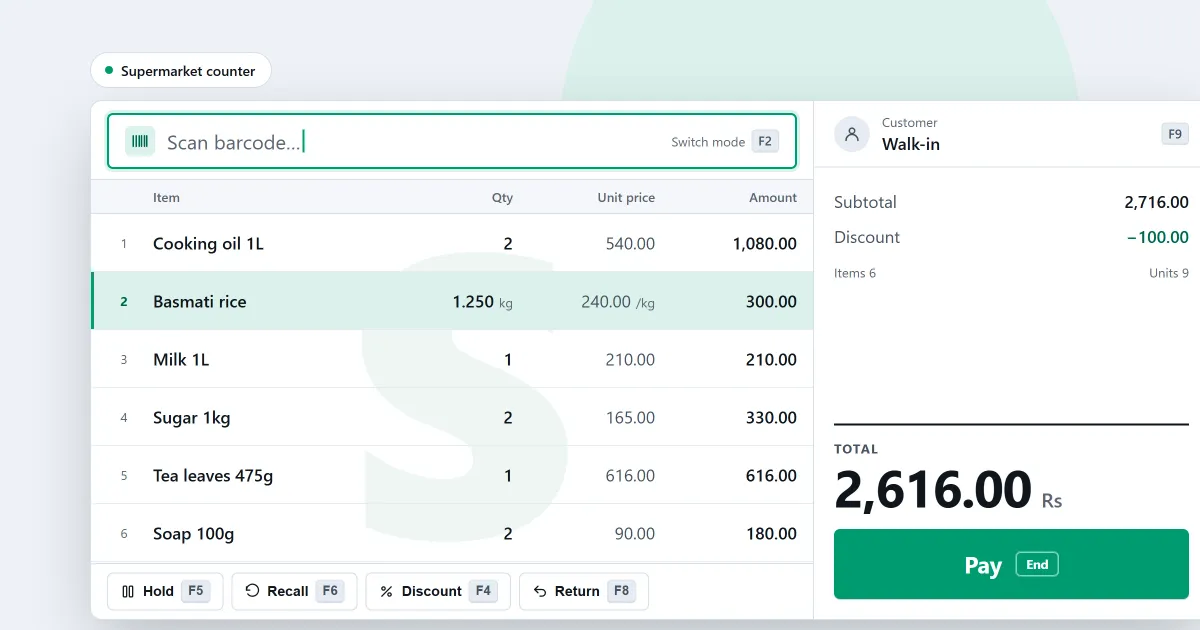
A scanned item is added to the sale at once, with no Enter press. One entry field handles scans and typed searches. A keyboard map completes the whole sale, and F1 shows the shortcuts you may use. One sale can be paid by several methods. Held sales set one basket aside while the next customer is served. These are in every edition. See the sales counter. A manager or owner can correct a finished sale with Correct this sale.
Expiry dates and batches on every shelf
Each product can track expiry, not only medicines. When a batch-tracked product is added at the counter, the batches with the earliest expiry are offered first. An expired batch is refused or warned about, depending on the product’s policy. The Batches and expiry page lists stock that is expiring, and a batch can be traced from its supplier to where its stock went. Expiry and batches are in Basic and Professional.
Pack levels
A product can have pack levels, and each pack is its own search result. Stock is counted once, in whole packs, and sales and bills keep the pack they were written in. For the limits, see grocery store POS software.
Stock counts and reorders
Count the whole shop, or one category, brand or supplier, by scanning barcodes. Sales made during a count are taken off once. The reorder list shows what is low or out of stock, and orders use each product’s preferred supplier. The stock losses report shows where stock keeps going missing. Counts and reorders are in Basic and Professional. See stock control.
Several counters on one shop network
A second till joins the shop with a code shown on a till that already belongs to it. Being on the same network is not enough, and the code expires. A sale on one till reaches the others, and a second copy of the same sale is refused. A price or setting changed on the main computer reaches every till. Several counters are in Professional only. See the shop network.
Shelf labels and promotions
Print barcode labels from ready formats, or pick products from a list and print their labels in one run. A discount promotion applies by itself when a cashier scans one of its products, and it works offline. Labels and promotions are in Professional only.
Staff roles and approvals
Each person signs in with a password, and cashiers switch with a PIN. The shipped roles include Cashier and Viewer, and each role can have a limit on what its people may approve. By default, a person cannot approve their own refund, void, stock adjustment or credit-limit override. Every sensitive action is recorded with its values before and after. Roles are in Basic and Professional. See staff and permissions.
Reports and alerts for the owner
The sales report by hour names the busiest and quietest hour. Alerts warn about expiring stock, overdue payments and a backup that is not set up. These are in Basic and Professional. See reports and alerts.
When the power or the internet fails
After a power cut, a recovery summary appears before the first sale. A sale can be finished with no network connection. Basic backs up to a folder you choose, and each backup is checked as soon as it is made. See offline selling.
Which software is best for a supermarket?
No software is best for every supermarket. The right fit depends on how many counters you run, what you sell and who must approve what. The blog post on choosing supermarket software gives a checklist to take to any vendor. SellyPOS is one option, and its editions are set out below.
Which edition a supermarket needs
- Lite is free for ever. It holds up to 20 products and has no backup, restore, import or export.
- Basic is for one counter. It adds expiry, counts, reorders, roles, reports and backup. You pay once, for one computer.
- Professional is for several counters on one shop network. It adds barcode labels and promotions.
Basic and Professional each start with a 7-day free trial. Their prices are on the pricing page, not written here.
Next
See grocery store POS software for a grocery counter, and POS software by type of shop. Then compare the editions and prices or download SellyPOS.
Questions people ask
Can I run more than one counter?
Yes, in Professional. Your counters connect over the shop's own network, with one computer as the main PC, so they keep working together without internet. Lite and Basic are for a single counter.
What does a supermarket need from its POS software?
A supermarket needs scanning at each counter, expiry dates and batches, stock counts and reorder lists, and staff roles with approval limits. A shop with several counters needs Professional, which joins the counters over the shop's own network. Barcode labels are also in Professional. See supermarket POS software.
Can a supermarket use the free version?
Only to try it. SellyPOS Lite is free for ever, but it holds up to 20 products and has no backup, restore, import or export. A supermarket usually carries more products than that. For one counter, choose Basic. For several counters, choose Professional. Both start with a 7-day free trial. See the free POS software page.