ERP system modules: which ones a small shop uses
Each ERP system module covers one part of a business. See which modules a small shop uses, and which ones SellyPOS has, edition by edition.
Short answer An ERP system module covers one part of a business, such as selling, stock, buying, customers, money or staff. A one-shop business needs the sales, stock, buying, customer and money parts. SellyPOS has those for one shop in the editions set out below. Warehouse bins, manufacturing and head-office consolidation are not included.
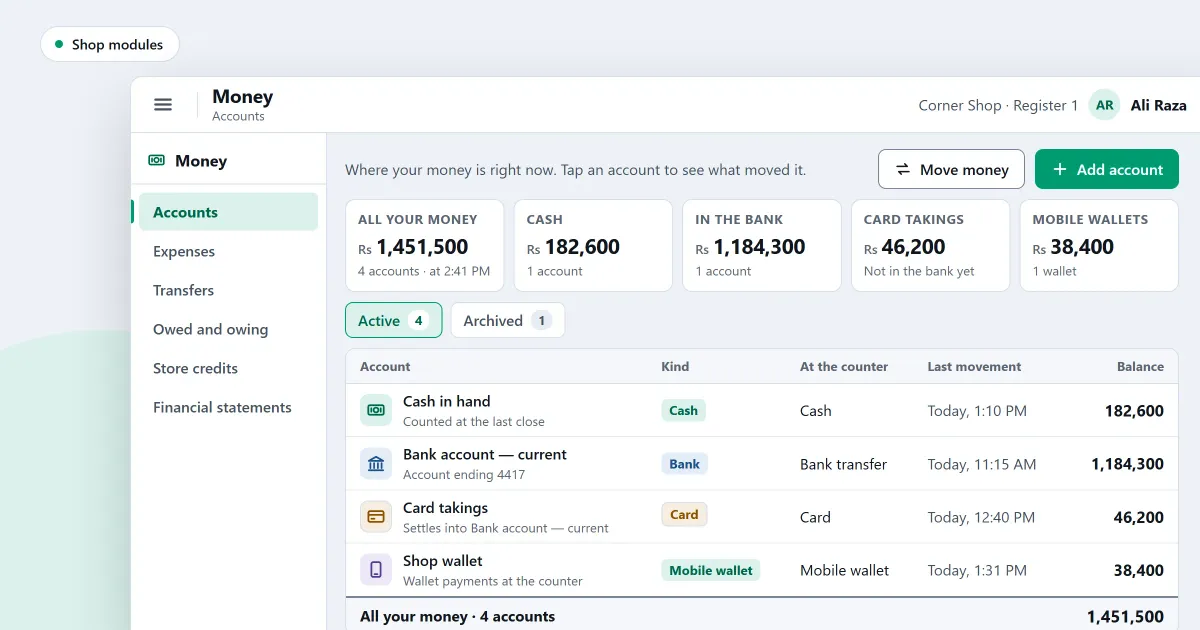
ERP system modules are the separate parts of an ERP, and each one covers a single area of a business. A small shop may need only a few of them. This page lists the modules a one-shop business uses, what each one covers, and where SellyPOS stands on each.
What is an ERP module?
An ERP module is one part of an ERP system that covers one area of a business, such as selling, stock, buying, customers, money or staff. The modules share one set of records, so a sale can reduce stock and reach the money side. A business can leave out the modules it does not need.
Which modules does a small shop use?
A one-shop business uses the modules that touch its counter and its books: sales, stock, purchasing, customers and credit, and money. Staff pay and reports come after those, when the shop needs them. Manufacturing, warehouse bins and head-office consolidation are for larger businesses.
When is a missing module a sign you need an ERP?
A missing module is a sign you need an ERP only when the business needs that part to run. A shop that does not make goods has no use for manufacturing. A business with a factory, a warehouse with bins or many branches under one head office does need those parts, and then an ERP is the right tool.
Where SellyPOS stands
The table lists each module, what it covers, its status in SellyPOS, and the edition that holds it. Yes means the part is built for one shop. Partly means a limit applies, and the limit is named. Not included means SellyPOS does not do it, in any edition.
| Module | What it covers | In SellyPOS | Edition |
|---|---|---|---|
| Sales and the counter | Sales, held sales, returns, receipts | Yes | Lite, Basic and Professional |
| Stock | Stock on hand, adjustments, counts, reorder levels, expiry | Yes | Stock on hand and adjustments in Lite; counts, reorder levels and expiry in Basic and Professional |
| Purchasing | Purchase orders, goods received, supplier bills, supplier payments, purchase returns | Yes | Lite, Basic and Professional |
| Customers and credit | Customer records, credit limits, statements | Yes | Records in Lite; credit and statements in Basic and Professional |
| Money accounts and expenses | Accounts with balances, expenses by category | Yes | Accounts in every edition; expenses in Basic and Professional |
| Profit and loss, balance sheet | Statements for the owner | Yes, but the statements cannot be exported or printed | Basic and Professional |
| Custom chart of accounts and journals | Your own accounts and entries | Not included | None |
| Reports and dashboards | Sales, stock, customers, suppliers and money | Yes | Reports in Basic and Professional; an orders dashboard in Lite |
| Staff, attendance and pay | Attendance, pay, commission | Partly: no statutory payroll | Professional |
| Several tills | Several computers on one shop network | Partly: one shop in one place, and the test on two real computers is outstanding | Professional |
| Several stock places | Locations and transfers | Partly: locations of one shop only | Professional |
| Warehouse bins and picking | Bins, picking, put-away | Not included | None |
| Manufacturing | Bills of materials, recipes, production | Not included | None |
| Quotations and sales orders | Estimates and orders before a sale | Not included | None |
| Delivery and dispatch | Riders and deliveries to customers | Not included | None |
| Loyalty points and gift cards | Points and gift cards | Not included | None; store credit vouchers are not loyalty |
| Customer marketing | Campaigns, text and email messages | Not included | None; WhatsApp opens a message that you send yourself |
| Online store | Selling over the internet | Not included | None |
| Tax filing and electronic invoicing | Filing returns and electronic invoices | Not included | None |
| Web or mobile back office | Using the shop from a browser or a phone | Not included | None; optional cloud services are planned |
| Multi-currency | Bills and prices in another currency | Not included | None |
| Fixed assets | Depreciation schedules | Not included | None |
SellyPOS is not an ERP. It has no manufacturing, no warehouse bins and no head-office consolidation across shops. Those are stated plainly so you can decide before you buy. The features page on what SellyPOS does not do yet lists the same limits in one place.
Next
Start with the sales counter, then read stock control and purchases and suppliers. Customers and credit are in customers and credit, and the money side is in money and accounts. For staff, read staff and permissions, and for more than one till, shop network and locations. Compare the two money-focused posts: ERP vs accounting software and ERP vs inventory software. Check which edition holds each part and the prices on the pricing page, then download SellyPOS.
Questions people ask
What are the editions of SellyPOS?
SellyPOS comes in three editions: Lite, Basic and Professional. Lite is free for ever and holds up to 20 products. Basic suits a general retailer with one counter. Professional suits a shop with several counters and adds features such as barcode labels and attendance and salaries. Compare them on the edition finder.
Does Basic include attendance and salaries for staff?
No, attendance and salaries are a Professional feature. Basic includes staff roles and permissions, so you can decide what each person may do, but it does not record attendance or pay staff. Professional adds both, starting with a 7-day free trial and then a one-time licence. See staff and permissions.
Is SellyPOS a cloud service or a browser app?
No, SellyPOS is an installed Windows app, not a browser app, an Android app or a cloud service. It runs on the computer itself and finishes a sale with no internet connection. You need the internet once, to sign in with Google at setup. See an installed Windows app for what that means at the counter.
What does SellyPOS not include?
SellyPOS does not include manufacturing or a bill of materials, warehouse bins and picking, head-office control across branches, cloud sync, a web or mobile app, loyalty points, online selling, card or payment gateway links, a custom chart of accounts, journal entries, quotations, sales orders or deliveries. Tax filing and digital invoicing are not built either. See what SellyPOS does not do yet.
Does SellyPOS do manufacturing or a bill of materials?
No, SellyPOS does not do manufacturing or a bill of materials. It has no recipes or production orders. It sells and buys finished goods, and one product can have pack levels such as piece, box and carton, each with its own barcode, price and cost, in every edition. Composite or assembled products are not built. See products and catalogue.
