POS vs ERP system or RMS: which does a shop need?
POS, RMS and ERP compared in plain words: what each one runs, who it suits, and which one a single shop needs. SellyPOS and its edges are stated.
Short answer A single shop needs a point of sale that also keeps stock, buying, customers and reports, which is what a retail management system is. A point of sale runs the counter alone, and an ERP runs a whole company across sites. In Basic and Professional, SellyPOS is that kind of program for one shop, and it is not an ERP.
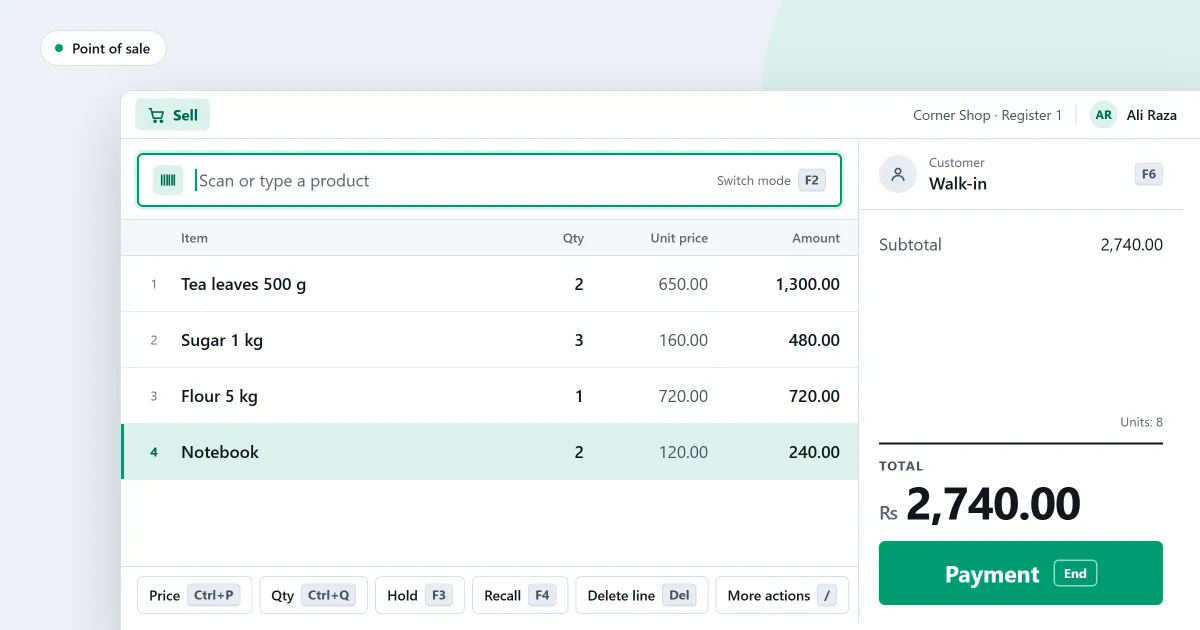
If you are comparing a POS vs ERP system for your shop, start with what you do each day. A point of sale, a retail management system and an ERP each do a different amount of the work, and a single shop rarely needs the largest one. This page compares the three ways of working, without naming any product.
What is a POS?
A POS, or point of sale, is the program at the counter. It takes the sale, the payment and the receipt, and it reduces the stock for each item sold. On its own, a POS does not run the shop’s buying, its reports or its credit for the whole business. Many shops need exactly that, and no more.
Which one does which job?
Each tool runs a different amount of the work. The table sets out what each one runs, who it suits, and where SellyPOS stands in each case. Read across a row to compare one thing, and down a column to see one tool whole.
| POS | RMS | ERP | |
|---|---|---|---|
| What it runs | The counter, the payment and the receipt | The counter, plus stock, buying, customers and reports for one shop | The whole company: money, stock, buying, sales and staff, across sites |
| Who it is for | A shop with one counter and few records | One shop that buys from suppliers and may sell on credit | Several sites, warehouses or a factory, with one head office |
| Where SellyPOS stands | The counter is in every edition | One shop, with reports and credit in Basic and Professional | Not an ERP |
When does a single shop need more than a POS?
A single shop needs more than a plain POS when it buys on bills and pays suppliers over time. It needs more again when it keeps stock to reorder, sells on credit, or wants reports for the owner. Those are the parts of a retail management system, and they are what a shop should check first.
- Do you enter supplier bills and pay them in part?
- Do you give customers credit, and chase them for it?
- Do you want the stock value and the profit each month?
- Do you run more than one counter in the same shop?
If most answers are yes, a retail management system is the right size. If the answers reach past one shop, the question has moved on to an ERP.
What does one week look like under each tool?
Take a shop with one counter and two suppliers. In one week the cashier makes the sales, the owner receives two deliveries, pays one supplier’s bill and sends one customer a statement. A point of sale handles the sales, and nothing else in that week.
A retail management system also takes the stock in from the deliveries, records the bill and the payment, and produces the statement. An ERP does the same, and also keeps the books for several sites, which this shop does not have.
When is an ERP the right choice?
An ERP suits a business with several sites, a warehouse with bins, a factory that makes goods, or a head office that must see every branch in one report. If none of those is true, an ERP adds work the shop will not use.
Where SellyPOS stands
In Basic and Professional, SellyPOS is retail management software for one shop. In Lite it is a point of sale with purchasing and stock. The counter, stock on hand, purchases and supplier payments are in every edition, including Lite. Reports, customer credit, statements and backups are in Basic and Professional. Several tills on one shop network are in Professional, and so are several stock locations within the same shop.
It is not an ERP. It has no warehouse bins, no manufacturing and no head-office consolidation of several shops, and it does not move stock between branches. It is installed on Windows and sells with no internet connection. Optional cloud services are planned, not built. Lite is free for ever and holds up to 20 products.
Next
For the single-shop parts in one place, read retail management software for small business. For the difference between the terms, read what is a retail management system and what is ERP in retail. Check the figures on the pricing page, or download SellyPOS and try it in your own shop.
Questions people ask
Can I run more than one counter?
Yes, in Professional. Your counters connect over the shop's own network, with one computer as the main PC, so they keep working together without internet. Lite and Basic are for a single counter.
Does SellyPOS work without internet?
Yes. The till finishes a sale with no internet connection. You need internet once, to sign in with Google and set up your shop, and from time to time to check your licence and updates.
Is a retail management system the same as a POS?
No, a retail management system is more than a POS. A POS is the counter where a sale is rung up, paid and printed, and the rest of the system covers stock, purchases, customers, money and reports behind it. SellyPOS holds both in one program: the Sales screen opens ready to sell, and stock and purchasing are in every edition. See what POS software does.
What is the difference between RMS and ERP?
RMS, a retail management system, runs the sales, stock, purchasing, customer and reporting work of a shop or a chain of shops. ERP, enterprise resource planning, runs a whole company, including finance, manufacturing, warehouses and people. SellyPOS is retail management software for one shop, not an ERP. See POS, RMS and ERP compared.
