What is ERP in retail? What a one-shop owner needs instead
ERP in retail explained in plain words: what it covers, which parts a one-shop owner really uses, and where SellyPOS stops. SellyPOS is not an ERP.
Short answer ERP in retail is enterprise resource planning software that joins a company's finance, stock, buying and sales across many sites. A one-shop owner usually needs less: a point of sale with stock, buying, customers and reports. SellyPOS is not an ERP, and it covers that smaller need in Basic and Professional.
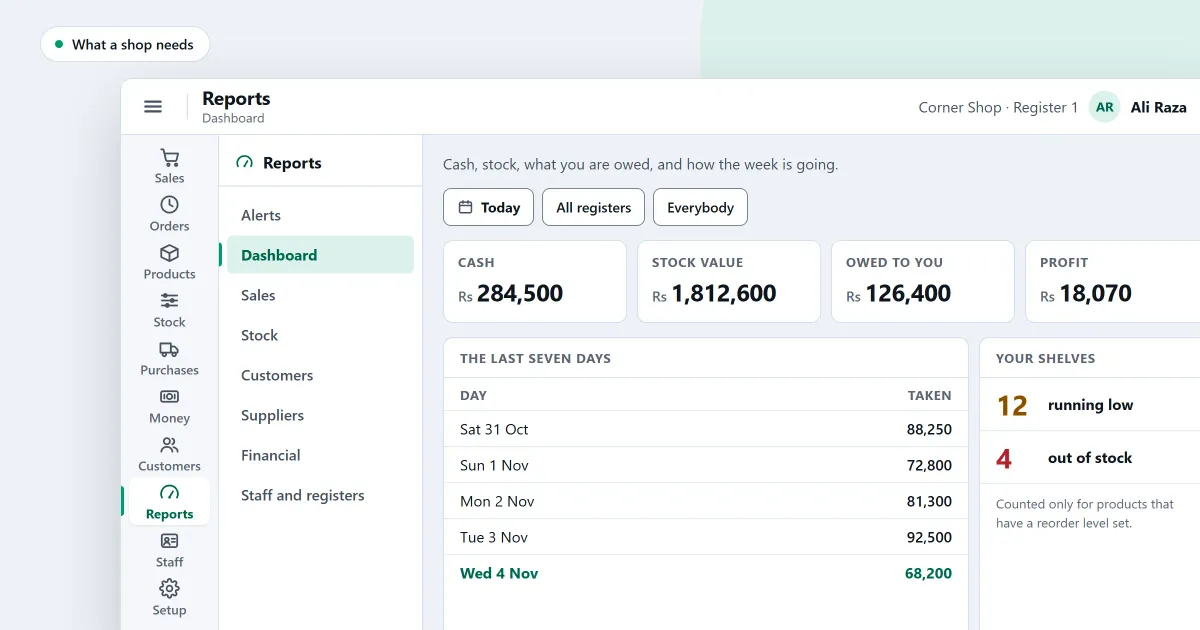
What is ERP in retail? It is a large system for a business with more than one site, more than one warehouse or a factory. Most one-shop owners do not need that, and this guide explains what ERP covers, which parts a shop really uses, and where SellyPOS stops.
Enterprise resource planning (ERP) is software that runs a company’s money, stock, buying, sales and staff on one shared database, often across several sites.
What does ERP cover in retail?
ERP in retail covers finance, purchasing, stock across warehouses, sales, supplier and customer records, and often staff and manufacturing. It is built for several sites that report to one head office. The exact parts depend on the business, and a large chain uses most of them.
A typical ERP includes:
- Finance: a general ledger and a chart of accounts for the whole company.
- Warehouses: bins, picking and transfers between sites.
- Manufacturing: bills of materials and production orders.
- People: recruitment, leave and records for every staff member.
What does a one-shop owner actually use?
A one-shop owner uses the sale at the counter, the stock on hand, supplier bills and payments, customer credit and a few reports. These are the parts of a point of sale with a back office. Most of the ERP list never reaches the counter, so paying for it adds work the shop will not use.
| ERP area | What a one-shop owner uses it for | Where SellyPOS stands |
|---|---|---|
| Sales | The counter, receipts and returns | In SellyPOS, every edition |
| Stock | Stock on hand, counts and reorder levels | In SellyPOS: stock on hand in every edition, counts and reorder levels in Basic and Professional, several locations in Professional |
| Purchasing | Orders, deliveries, supplier bills and payments | In SellyPOS, every edition |
| Finance | Cash, bank, expenses and profit and loss | Partly: money accounts, expenses and statements in Basic and Professional, with no custom chart of accounts and no journal entries |
| Customers | Credit, limits and statements | In SellyPOS, Basic and Professional |
| Warehouse bins and picking | Stock in many rooms | Not included |
| Manufacturing | Making goods from parts | Not included |
When does a business need an ERP?
A business needs an ERP when it runs several sites, keeps stock in warehouse bins, makes goods in a factory, or needs a head office to see every branch in one report. If none of those is true, a point of sale with a back office covers the work.
How do I tell which one my shop needs?
Count the places and the people who need the same figures. One counter, one stock room and one owner usually need a point of sale with a back office. Several sites, a warehouse and a head office that must bring every site into one set of books need an ERP.
Put these questions to yourself before you choose:
- Do I buy on supplier bills, and pay those suppliers over several weeks?
- Do I sell on credit, and need to know who owes me and for how long?
- Do I need the stock value and the profit each month, without a spreadsheet?
- Do I keep stock in more than one room of the same shop?
- Do I run a second site in another town that must report to me in one place?
If the answer to the last question is yes, an ERP is worth a closer look. If the first four are the only yes answers, a point of sale with a back office is the right size.
Where does SellyPOS stop?
SellyPOS is installed on a Windows computer, and it sells with no internet connection. It is for one shop, or one shop with several tills in Professional. It does not do manufacturing, warehouse bins or the head-office consolidation of several shops. Optional cloud services are planned, not built. A business that needs those parts needs an ERP.
What does a system cost?
A system has four kinds of cost: the licence or subscription, the set-up, the hardware such as a receipt printer, and the training. You can pay once or every month. In SellyPOS, Lite is free for ever, and Basic and Professional are a one-time payment per licence after a 7-day free trial. The figures are on the pricing page.
Next
Read what is a retail management system for the middle option, and the POS, RMS and ERP comparison for the three side by side. For the parts of a shop’s own program, see retail management software for small business and stock control. Then download SellyPOS and see whether it fits your shop.
Questions people ask
Does SellyPOS work without internet?
Yes. The till finishes a sale with no internet connection. You need internet once, to sign in with Google and set up your shop, and from time to time to check your licence and updates.
Is SellyPOS a cloud service or a browser app?
No, SellyPOS is an installed Windows app, not a browser app, an Android app or a cloud service. It runs on the computer itself and finishes a sale with no internet connection. You need the internet once, to sign in with Google at setup. See an installed Windows app for what that means at the counter.
What does ERP stand for?
ERP stands for enterprise resource planning. It is business software that keeps a company's finance, stock, purchasing, sales and people records in one system, and it is built to run a whole company, not one shop. SellyPOS is not an ERP. See the retail management and ERP questions.
What is ERP in retail?
ERP in retail means enterprise resource planning software for a retailer with many branches, a warehouse or a head office. It joins stock across sites, purchasing, finance and staff. SellyPOS is not an ERP: for one shop it covers the counter, stock, purchases and, in Basic and Professional, credit and reports, and none of the head-office parts. See the retail management and ERP questions.
Does a small shop need ERP software?
A small shop usually does not need ERP software. A shop that sells over a counter, keeps stock and tracks customer credit needs a point of sale with stock, purchasing and accounts. An ERP is worth considering for a factory, many branches or a warehouse. SellyPOS is built for one shop, and it is not an ERP. See what SellyPOS does not do yet.
