Twelve questions to ask before you buy POS software
Twelve questions to ask any seller before you buy POS software, from offline selling and price to updates, data, backup and hardware, with SellyPOS answers.
Short answer The questions to ask before buying POS software cover offline selling, price, trials, the licence, updates, data, backup, hardware and growth. Ask each seller the same twelve, and write down the answers. SellyPOS answers each one below, with the edition that holds it.
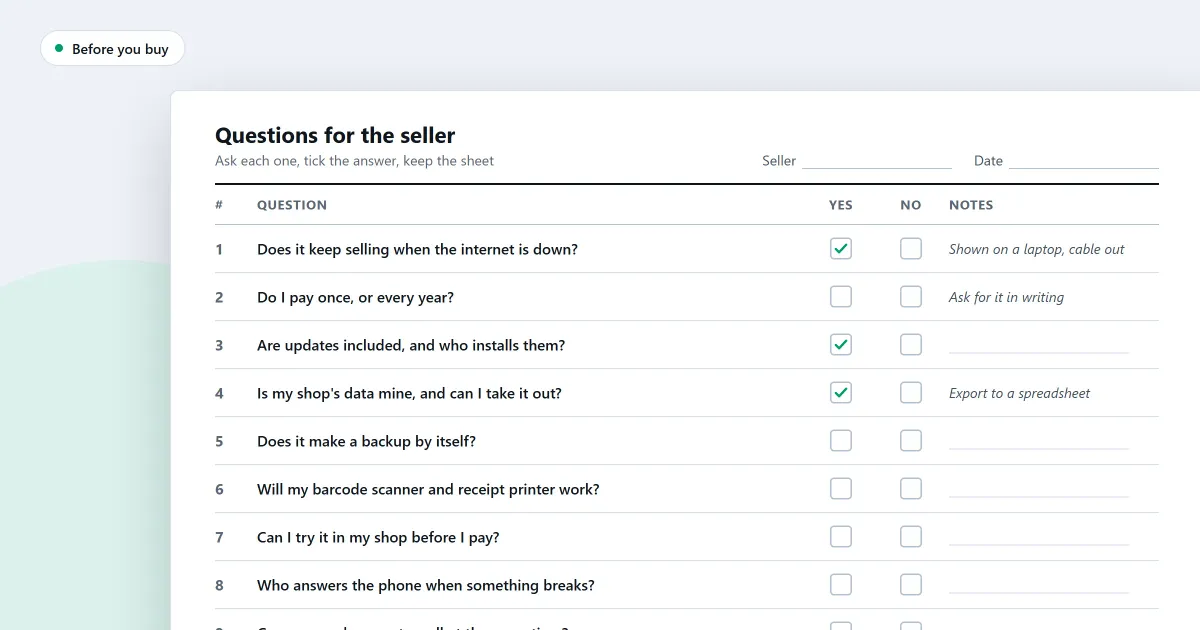
What are the questions to ask before you buy POS software? Ask every seller the same twelve, and write down the answers. This page gives the questions first, then shows how SellyPOS answers each kind of them.
What are the twelve questions to ask a seller?
Ask any POS seller these twelve questions, in this order, and write down each answer. Compare the written answers side by side. A seller who cannot answer one of them has told you something before you pay. The list covers the counter, the price, updates, data and hardware.
- Can a sale be finished with no internet connection, and what happens to a sale if the power goes off?
- What does the program cost, and is it one payment or a monthly fee?
- Can I try it on my own computer before I pay?
- Is the licence tied to one computer, and what happens when I replace that computer?
- How are updates delivered, and can an update be forced on me in the middle of work?
- Where are my sales, products and customers kept, and can I take a copy out?
- How do I back up my records, and can the backup run every day?
- Can I restore a backup if the first computer fails?
- Which receipt printer and barcode scanner does it work with?
- Can I add more counters later, and does each one need its own licence?
- Who helps me when something goes wrong, and how do I reach them?
- What does the free version leave out, and what changes when I move up?
Can a sale be finished when the internet is down?
A sale should be finishable with no internet connection, so that a dead connection does not stop the counter. Ask the seller whether a sale can be finished offline, and what the program shows after a power cut in the middle of one. The answer should be plain, and it should come with a way for you to check it.
Can I try it before I pay?
Asking for a trial before you pay is a fair request. Ask how long the trial lasts, whether you can use it on your own computer, and whether it lets you do every task you will do after it. A trial that blocks a daily task tells you little about the program, so test the tasks you do most.
Where do my records live, and can I take a copy out?
Ask where the program keeps your sales, products and customers. Ask whether you can take a copy out of the program, and in what form. A copy that only the seller can open is a weak answer, and you should ask for a copy you can open yourself.
Can an update be forced on me in the middle of work?
Ask when updates arrive, who decides when to install them, and whether one can be forced on you during a sale. Ask what happens to your records when an update is installed. A good answer says that you choose the time, and it names the steps the program takes before it changes anything.
Where SellyPOS stands
Each point below states the edition that holds it. Lite is the free edition, and Basic and Professional are the paid editions.
- Selling offline. A sale can be finished with no network connection, so a dead connection does not stop the counter. Lite, Basic and Professional.
- After a power cut. A recovery summary appears before the first sale. It names any sale whose state was uncertain, and it offers a reprint. Lite, Basic and Professional.
- Trial. A trial runs in every licensed version, and a shop has one trial in all, whichever version it ran in. Basic and Professional. Lite has no trial.
- Licence. The licence is tied to one computer. Basic is licensed to one computer. Professional is licensed on the main computer, and the other tills on the shop network need no licence of their own. Basic and Professional.
- Several counters. Professional is the edition for several counters.
- Updates. A newer version is offered quietly and never during a sale. The Owner or a Manager can install it now, be reminded tomorrow, or skip that version. An update is never forced. An interrupted download starts again from the beginning. Lite, Basic and Professional.
- Backup. Back up now, or let the shop back up every day to a folder you choose. The history lists each backup, including failed attempts. Backups are not password protected, and cloud backup is not built. Basic and Professional. Restore is in Basic and Professional too.
- A copy of your lists. The Data tab saves products, customers or suppliers as a CSV file, and the saved file can be loaded again. Only those three lists can be exported. Basic and Professional.
- Support. The activation screen shows the trial status and a support number to copy. Basic and Professional.
- Lite. Free for ever, with no trial and no licence. It holds 20 products, shows the last 7 days of sales history and returns, and has no backup, restore, import or export.
The speed and reliability module covers offline selling and backup, and how to choose an edition shows which edition suits your shop.
Next
Read POS software features: a checklist for a small shop for the features to look for, and install SellyPOS when you are ready to try it. Check the prices on the pricing page, then download SellyPOS.
Questions people ask
Does SellyPOS work without internet?
Yes. The till finishes a sale with no internet connection. You need internet once, to sign in with Google and set up your shop, and from time to time to check your licence and updates.
