ERP system cost for small business: what you pay for
What an ERP system costs a small business: the licence, set-up, hardware and training, paying once or monthly, and what SellyPOS charges.
Short answer The cost of an ERP system for a small business has four parts: the licence or subscription, set-up, hardware and training. Each part can be paid once or spread over months. SellyPOS is a point of sale for one shop. Basic and Professional are a one-time licence, and Lite is free for ever.
People who search for erp system cost for small business usually want a number. This page does not give one, because an ERP price depends on the modules, the number of users and the set-up work, and no single figure fits every shop. It explains the parts of any cost, the two ways to pay, and what SellyPOS charges. The amounts are on the pricing page.
What are the parts of the cost?
- The licence or the subscription. You either buy a licence to use the program, or you pay a subscription to keep using it. Check which one you are buying, and what it covers.
- Set-up. Someone has to enter the products, prices, customers and opening stock. The time spent on this is a cost, even when no invoice comes with it.
- Hardware. Many counters need a computer, a receipt printer and a barcode scanner. Each is a separate buy.
- Training. Staff need to learn the screens before the first busy day.
Is it cheaper to pay once or every month?
Both ways are common, and neither is right for every shop. Compare them over the years you expect to use the program.
| Way to pay | What you get | What to check |
|---|---|---|
| Pay once | A licence you keep using | What the licence covers, and for how many computers |
| Pay every month | A subscription you keep paying while you use it | Whether the price covers the software, the service or both, and what happens if you stop paying |
A one-time payment is a single cost that you can plan for. A monthly fee spreads the cost over time, so the first month is smaller. Add up both ways for the same number of years, and compare the totals.
What does SellyPOS charge?
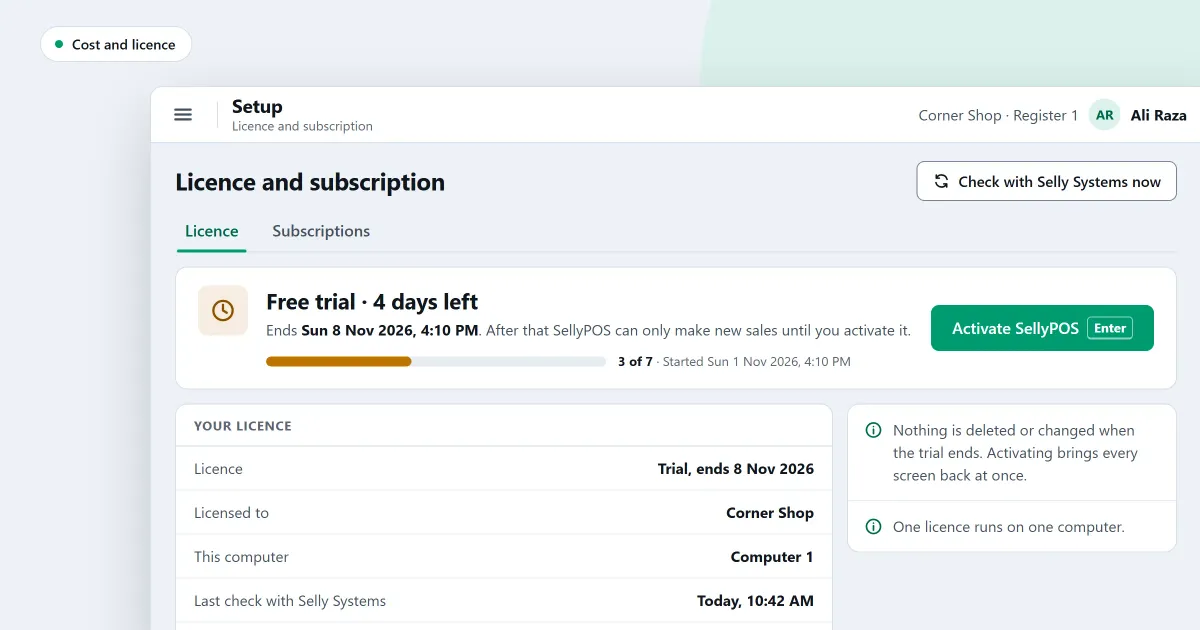
Lite is free for ever. It has no trial, no licence and no lock, and it holds up to 20 products. Basic and Professional each start with a 7-day free trial. After the trial, each is a one-time payment per licence. A Basic licence is for one computer. In Professional, the licence is for the main computer, and the other tills on the shop network need no licence of their own.
There is no monthly fee for the software. Optional cloud services are planned, not built, and they are separate from the software price. The amounts are on the pricing page.
What does set-up take?
The first-run setup takes a new shop from installation to a first sale. Every step except the business name can be skipped, so you can start selling and finish the rest later. A product needs only a name, a price and a unit to be added. Choosing a business type sets sensible defaults for the shop.
In Basic and Professional, products can also come in from a spreadsheet or a CSV file. You choose the file, match its columns, check the rows, and then import.
What hardware does a counter need?
A receipt printer and a barcode scanner are the two parts most counters add. SellyPOS finds a USB receipt printer when you plug it in. A Bluetooth receipt printer is listed once Windows has it paired. Receipts print on thermal printers that are 58 mm or 80 mm wide. Printers that need administrator rights are set up through Windows.
The scanner tab has a try-it box. Scan a code into it to see what arrived, before the first sale.
Is there training in the program?
The Help screen holds articles for twelve areas and eight common problems. It is searched offline, so it still works with the network cable unplugged. Press F1 on any screen to open the shortcut guide. For video lessons, see the video tutorials.
Where SellyPOS stands
SellyPOS is one program, on one computer, for one shop, with a network of tills in Professional. Its costs are a free Lite edition, and a one-time licence for Basic or Professional. Optional cloud services are planned and are not built.
Settle what the shop must do before you compare prices. Then check which parts each price includes. See what SellyPOS does not do yet for the limits.
Next
Read do you need ERP for one shop to see which parts a shop needs. For a checklist of what to compare, read how to choose POS software in Pakistan. The no monthly fee page and the editions help show what each edition holds. Then see the pricing page and download SellyPOS.
Questions people ask
Is SellyPOS Lite really free?
Yes, for ever: no trial, no licence and no lock. Lite holds up to 20 products, shows the last 7 days of sales history and returns, and has no backup, restore, import or export. When you need more, install Basic or Professional over the same data.
How does licensing work?
A licence is a one-time purchase, and it lasts for life. Basic is licensed to one computer. Professional needs one licence for your whole shop: it sits on your main computer, and every other counter on the shop's network connects to it and needs no licence of its own. If you replace a computer, Selly Systems moves the licence for you.
Is there a monthly fee for SellyPOS?
No, SellyPOS has no monthly fee for the software. Basic and Professional are paid once, as a lifetime licence, and Lite is free for ever. The amounts are on the pricing page, in PKR or USD. See POS software with no monthly fee for how it works.
What does ERP cost, and what do I pay for SellyPOS?
An ERP cost has several parts: a licence or subscription, set-up, hardware and training, and each part can be paid once or every month. SellyPOS Lite is free for ever. Basic and Professional are a one-time payment per licence, with a 7-day free trial and no monthly fee for the software; optional cloud services are planned and would be separate. The amounts are on the pricing page.
