POS software: pay once or pay every month?
Pay once or pay a monthly fee for POS software? A worked sum shows when each one costs more, what to ask a seller, and how SellyPOS is licensed.
Short answer POS software can be paid for once, as a licence, or by a monthly fee. A monthly fee is a smaller payment at the start but adds up each month. Work out the total for the months you will really use it, and ask what you keep if you stop paying.
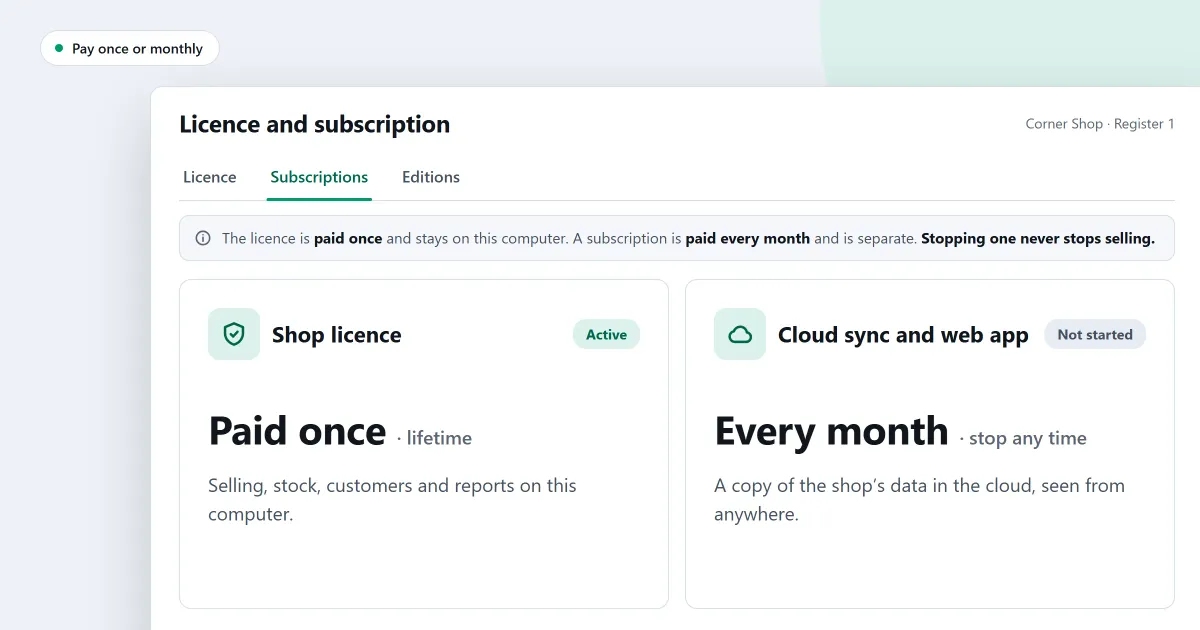
Is a one-time payment for POS software better than a monthly fee? This is the first money question to settle before you buy. The answer depends on how long you will run the program, and on what the fee covers. This page gives you a sum to do on paper, the questions to ask a seller, and how SellyPOS is paid for.
Is a one-time payment or a monthly fee cheaper?
A one-time payment costs more on the first day, and then it does not grow. A monthly fee costs less on the first day, and it grows for as long as you pay it. Neither is cheaper for every shop. The cheaper choice depends on how many months you will use the program.
A monthly fee is easy to start with, because the first payment is small. The trouble is that the small payment never stops. A one-time payment is one larger sum, and it does not repeat. Both can be the right choice, so do the sum before you decide.
How do I work out the total cost over time?
To work out the total cost over time, multiply the monthly fee by the number of months you expect to use the program, then compare it with the one-time price. Use the months you really plan to run the shop, not the months you hope for. Do the same sum for each seller, using the same number of months.
Here is a sum with invented round numbers. Suppose a monthly fee is 1,000 a month, and a one-time payment is 20,000. These figures are for the sum only. They are not SellyPOS prices.
| Months used | Total of the monthly fee | One-time payment |
|---|---|---|
| 6 | 6,000 | 20,000 |
| 12 | 12,000 | 20,000 |
| 20 | 20,000 | 20,000 |
| 24 | 24,000 | 20,000 |
Read the table down. At six months and at twelve months the monthly fee has cost less. At 20 months the two totals are equal. At 24 months the monthly fee has cost 4,000 more than the one-time payment. The point where the two lines cross is the figure to remember.
Before you compare, check these points as well.
- Does the fee cover the program, or other services you may not need?
- Is the price for one computer, one counter, or the whole shop?
- Is there a trial, and does it let you work the way you will work after it?
- Is there a version with no fee, and what does it leave out?
What do you keep if you stop paying?
What you keep if you stop paying is your records, and the right to use them. Ask this before you sign up for anything with a monthly fee. Find out whether you can take a copy of your products, customers and sales records, and whether the program still lets you sell.
Your records are the part you cannot easily rebuild. Keep a copy of them in a folder you control, and check that the copy opens. Do this on the same day each week, so the copy stays recent.
Where SellyPOS stands
SellyPOS has no monthly fee for the software. Basic and Professional are a one-time payment for a lifetime licence, and the price is on the pricing page. Here is how each edition is licensed.
- Lite. Free for ever, with no trial and no licence. It holds 20 products, shows the last 7 days of sales history and returns, and has no backup, restore, import or export.
- Basic. A 7-day trial, then a one-time payment for a lifetime licence for one computer.
- Professional. A 7-day trial, then a one-time payment for a lifetime licence for the main computer. The other tills on the shop network need no licence of their own.
- One trial for the shop. A trial runs in every licensed version, and a shop has one trial in all, whichever version it ran in. Basic and Professional only.
- After the trial. The shop can still make new sales for seven more days. Returns, reprints and back-office work wait until a licence is activated, and the Sales screen says why. After those seven days SellyPOS locks completely until a licence is activated. Basic and Professional only.
- The licence. The licence is tied to one computer. Basic and Professional only.
- The licence page. Setup > Licence and subscription shows who the licence is for, when it was issued, this computer and the last check. It cannot yet start, stop or change a subscription. Basic and Professional only.
- Optional cloud services. These are planned. They are not part of the software price.
To see which edition holds each part, read how to choose an edition. The page on POS software with no monthly fee sets out the same model in more detail, and the editions and install module lists the rest.
Next
Read how much does POS software cost for the cost side, then questions to ask before you buy POS software for a full checklist. Check the prices on the pricing page, read how to start a trial and activate a licence, then download SellyPOS.
Questions people ask
How does licensing work?
A licence is a one-time purchase, and it lasts for life. Basic is licensed to one computer. Professional needs one licence for your whole shop: it sits on your main computer, and every other counter on the shop's network connects to it and needs no licence of its own. If you replace a computer, Selly Systems moves the licence for you.
