Daily sales report format for a shop
A daily sales report format for a shop: the rows to fill each evening, a sample table with invented figures, a cash check, and what SellyPOS shows for the day.
Short answer A daily sales report format is a one-page sheet for one day's trade: the date, sales by payment method, returns, discounts, the cash counted against the sales, and notes. Filling the same rows each evening lets you compare days. This page gives the format as a table and says what SellyPOS shows for the day.
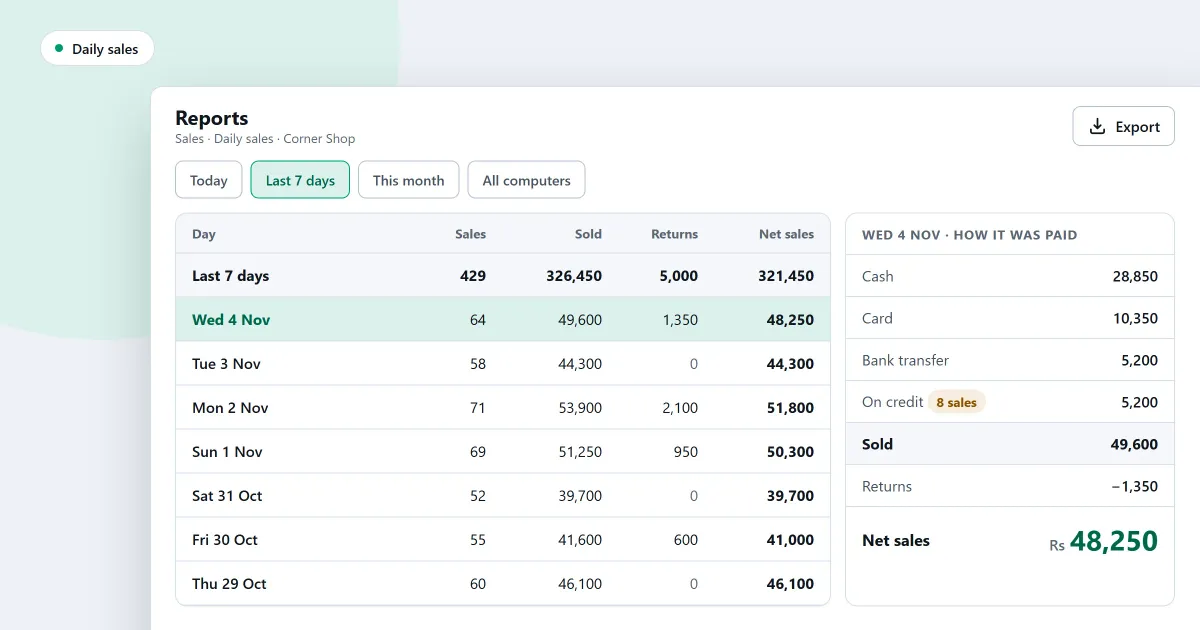
A daily sales report format is the set of rows that tells you how the day went before you lock up. Without one, the day’s figures sit in separate receipts and a drawer. A daily sales report format puts them in the same rows each evening. Below you will find the rows to fill in, a sample with invented figures, a cash check, and a note on what SellyPOS shows for the day.
What should a daily sales report include?
A daily sales report should include the date, the sales from each payment method, the returns, the discounts, the net sales and the cash counted in the drawer. Add a notes line for anything unusual, such as a power cut or a broken item, so the figures can be explained later.
| Line | Amount | How it is worked out |
|---|---|---|
| Date | 4 November 2026 | The day the sheet covers |
| Cash sales | 6,000 | Cash taken across the counter |
| Card sales | 2,500 | Card payments taken |
| Bank transfer sales | 1,500 | Transfers received |
| Total sales | 10,000 | Cash plus card plus bank transfer |
| Returns | 500 | Money paid back for goods returned |
| Net sales | 9,500 | Total sales minus returns |
| Discounts given | 300 | Already taken off the sales above, kept as a note |
How do you check the cash in the drawer?
Start from the cash that should be in the drawer, then compare it with the cash you count. The cash that should be there is the opening cash, plus the cash sales, minus any cash paid out for returns. The difference is the counted figure minus that expected figure.
| Cash line | Amount |
|---|---|
| Opening cash | 1,000 |
| Add cash sales | 6,000 |
| Less cash paid out for returns | 500 |
| Should be in the drawer | 6,500 |
| Counted in the drawer | 6,450 |
| Difference | -50 |
For example, the drawer should hold 6,500, and the count is 6,450. The drawer is 50 short. Write that on the sheet with a note, and look for its cause the next morning.
How do you fill in a daily sales report?
Fill the sheet in at the end of each day, after the last sale is finished and before the drawer is counted. Copy each total from the day’s figures, count the drawer, and write any difference with a note. Keep one sheet per day in date order, so the weeks can be compared.
- Write the date at the top. Use the day the sales were made.
- Copy the sales by payment method. Take cash, card and transfer separately, then add them to the total.
- Write the returns and the discounts. Net sales is total sales minus returns.
- Work out the cash that should be there. Use the cash check table above.
- Count the drawer and write the difference. Do not change a figure to make it match. Write a note instead.
Which day figures does SellyPOS show?
SellyPOS shows the day’s sales, items, gross, discounts, returns and net, and splits the sales by payment method. It can also list the ten products that sold most, the busiest hour, and the cash, bank and wallet balances. These are in Basic and Professional.
Where SellyPOS stands
Every report below is in Basic and Professional. None is in Lite.
- Daily sales summary. The day’s numbers add up the sales, items, gross, discounts, returns, net and the split by payment method. It has a date filter only: there is no export, no drill-through, no chart and no comparison with an earlier period. Basic and Professional.
- Top ten products today. The day’s numbers list the ten products that sold most, with the quantity and net for each product. Basic and Professional.
- Sales by payment method. Payment methods shows what each method took, what was paid back through it and its net. The methods add up to the period’s net. Basic and Professional.
- Hourly sales. Hourly sales lists every hour from the first sale to the last, empty hours included, and names the busiest and quietest hour. A time-of-day filter for hourly sales is not built. Basic and Professional.
- Bank and till. It shows each cash, bank and wallet account at the start, money in, money out and now. Money moved between your own accounts is not income or spending, and the page says so. The cash report, cheques and bank reconciliation are not built. Basic and Professional.
The day’s summary is explained in how to see today’s sales at a glance, and the report menu in how to run a report. The reporting tools are on the reports and alerts module and the daily sales report software page.
Next
Use the end-of-day checklist for a small shop to close the day in the same order each time. For the profit side of the same figures, read how to track profit in a shop. Compare the editions on the pricing page, or download SellyPOS.
